Nightride FM
Native synthwave-radio clients for Mac, iOS & Android
Open-source native clients for Nightride.FM — the synthwave internet radio — on macOS, iOS, and Android. One playback / now-playing / metadata model, three platform-true implementations, zero trackers.
- statuslive
- modelopen source
- since2026
- > solo, open source — native clients across macOS, iOS & Android
Nightride FM is a set of native clients for Nightride.FM — the synthwave internet radio — on macOS, iOS, and Android. Same playback / now-playing / metadata model on every platform, each rendered the way its OS wants. Built out of love for the station and the community around it; no affiliation, no ads, no accounts. Just the stream where you already are — the menu bar, the lock screen, CarPlay, Android Auto — plus a one-tap jump to the current track on Spotify, Apple Music, or YouTube when a song grabs you.
Why this exists
I’ve listened to Nightride.FM for years. It’s my default for late nights, and it hits hardest on a drive after dark — empty roads, the city thinning out behind me, the day finally over. But the station always sat one step too far away: a browser tab I had to babysit, no real lock-screen controls, nothing in the car. The music I most wanted within reach was the one I had to fight to keep playing.
So I built the version I wished existed — the stream right there in the menu bar, on the lock screen, in CarPlay and Android Auto. One tap on the way out the door, then it gets out of the way and leaves you with the road and the synths. Everything else in this project is, honestly, in service of that one feeling.
The whole thing is one selfish feature: make the radio I love feel close on a late-night ride.
Three native clients, zero shared code
No React Native, no shared core compiled three ways. Each platform is written in its own idiom — SwiftUI on macOS and iOS, Jetpack Compose on Android — and they share a model, not a codebase. PlayerStore, MetaStream, MusicLinks, Stations, Artwork: the same handful of concepts, reimplemented natively in each client. More typing, but every app feels like it belongs on its platform and there’s no abstraction layer to fight.
nightride-fm/
├─ macos/    ── SwiftUI menu-bar app         (Swift · SwiftPM)
├─ ios/      ── SwiftUI app + CarPlay        (Swift · xcodegen)
├─ android/  ── Compose + Android Auto       (Kotlin · Gradle)
└─ assets/   ── generated icons & cover art  (Node · opentype.js)
On the Apple side that’s zero third-party dependencies — just AVFoundation and MediaPlayer. The clean, auditable build is the point.
$ tplocic stats
- native clients 3 · macOS / iOS / Android
- synthwave stations 9
- trackers · ads · accounts 0
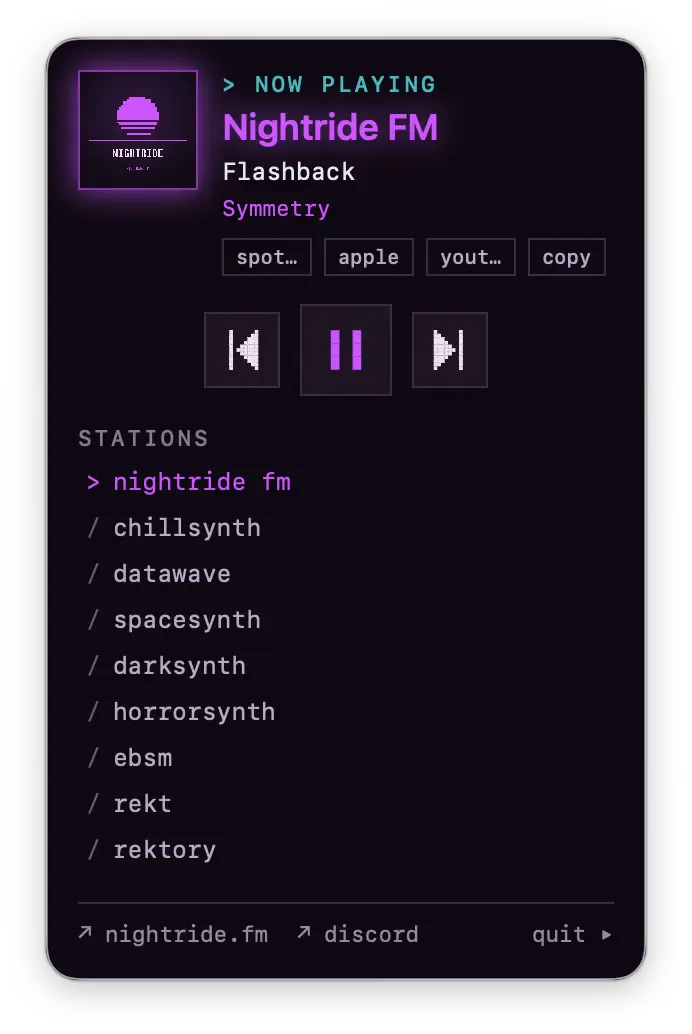
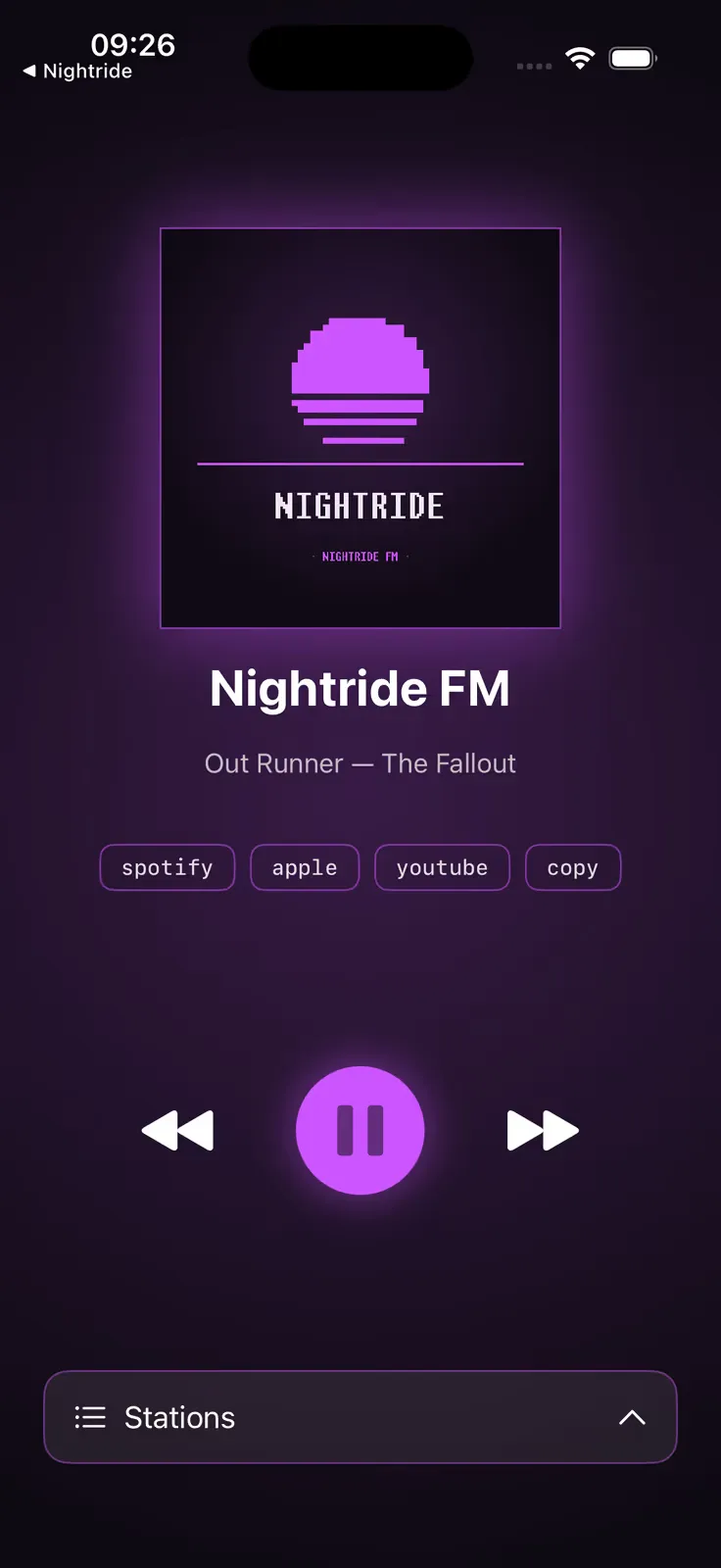
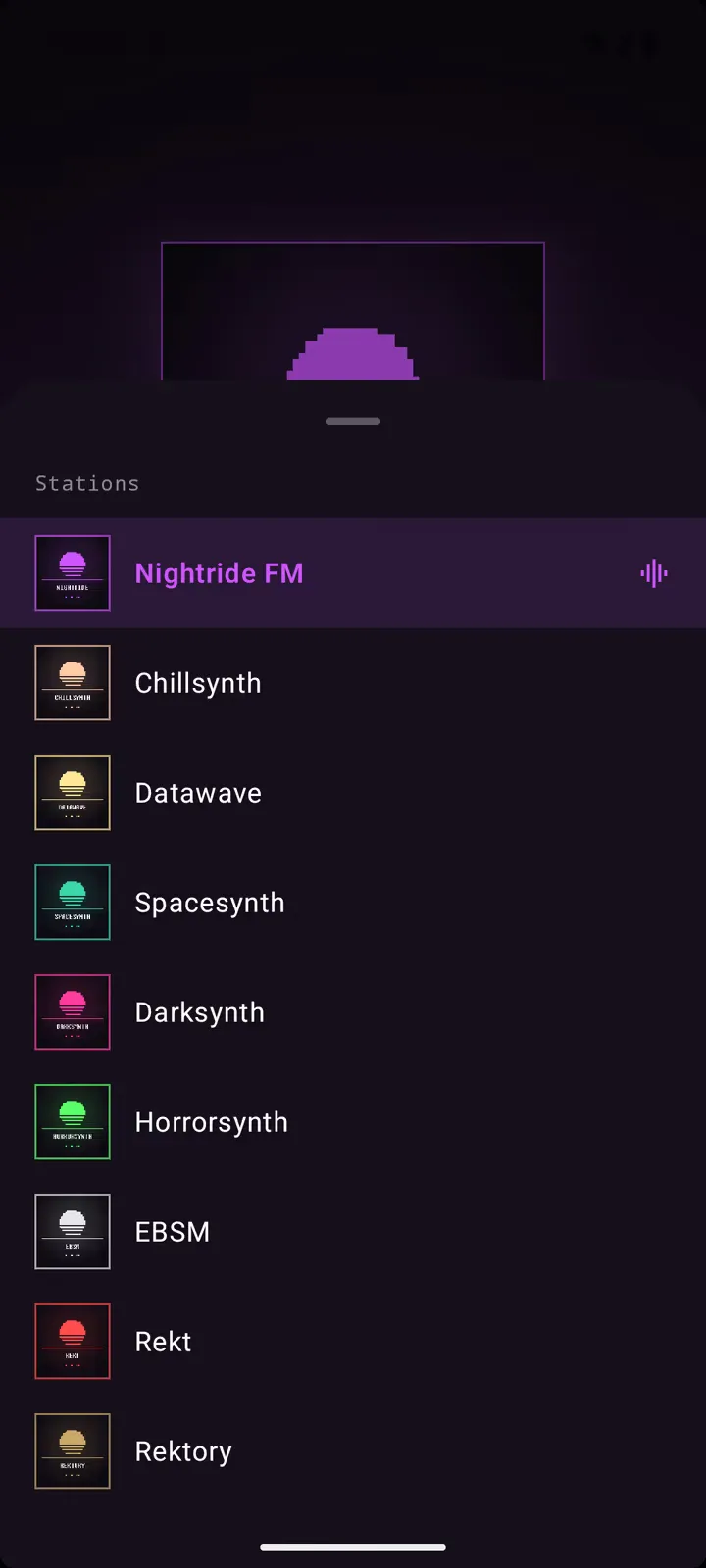
Live metadata over SSE
The station publishes now-playing data as a server-sent event stream (nightride.fm/meta). MetaStream holds the connection open and pushes each track change into the player, which fans it out to wherever the OS shows “now playing” — the macOS menu bar and Now Playing widget, the iOS lock screen and Control Center, the Android notification and Android Auto. When a track catches you, MusicLinks builds a one-tap search straight to it on Spotify, Apple Music, or YouTube.
Deep OS integration
- macOS — lives in the menu bar; media keys (F7–F9) and AirPods taps; optional Discord Rich Presence
- iOS — lock screen + Control Center transport, and CarPlay for the drive
- Android — Media3 playback service, notification controls, and Android Auto
Privacy by construction
No analytics SDK, no crash reporter, no tracker, no account. The README lists every network call the apps make — the audio stream, the metadata stream, and (only when you tap) a music-service search URL — and that’s the whole list. It’s grep-able: there’s no Firebase, no Sentry, no Amplitude to find.
Get it
The iOS player is on the App Store. On Android, grab the latest APK direct — after it downloads, tap the file and allow your browser to install unknown apps (Android won’t sideload it automatically). The macOS client is the latest .dmg, and every build is on the GitHub releases page. The whole thing is open source (MIT) — clone it, audit it, or build it yourself.